
The ChatGPT 4 Free is a powerful tool from OpenAI, which can be accessed at no cost through alternative platforms and applications.
Although the official version requires a subscription, there are several ways to use the ChatGPT 4 for free, allowing users to explore the functionalities of this advanced language model, with access to more recent information and greater response accuracy.
Below, we will explain 6 ways to use chatgpt 4 free, detailing how you can access it on different platforms, whether through a browser or an app. Continue reading to learn how to take advantage of this technology without needing to pay for the premium version.
Table of Content
What is ChatGPT 4?
The ChatGPT 4 is the latest version of the language model developed by OpenAI. It is based on GPT-4, a deep learning model that was trained on large amounts of data to understand and generate text in a more natural and precise way.
With significant advances compared to previous versions, the ChatGPT 4 offers more relevant and coherent responses, a greater capacity to handle complexity and longer contexts, and an enhanced ability to understand nuances in language.
Read also:
- How to Free Up Space on Google Photos: Step by Step
- How to Unlock Cell Phone With Password: Step by Step!
- How to block cell phone by IMEI
Some of the notable improvements of the ChatGPT 4 include:
- Greater capacity for understanding of complex contexts and more detailed instructions;
- More creative responses and with a greater wealth of information;
- Better performance in multilingual tasks and the ability to handle multiple languages;
- Greater accuracy in responses, based on more up-to-date data.
These advances make ChatGPT 4 stand out compared to previous versions, providing a more robust experience for those who aim to interact with artificial intelligence.
6 ways to use ChatGPT 4 for free
See below 6 ways to access the chatgpt 4.0 free in addition to useful details about each of the ways!
1. Bing Chat (Microsoft)
The Bing Chat from Microsoft offers a simple and efficient way to access the chatgpt 4 for free. Through integration with Microsoft Edge, Bing Chat uses the GPT-4 model to perform more precise and interactive searches.
How to access:
- Open the Microsoft Edge browser or download the Bing app on your phone;
- Go to the Bing homepage and click on “Chat Now”;
- Select the “Creative Mode”, which uses GPT-4, and start interacting with the tool.
The main advantage of Bing Chat is that it offers a reasonable amount of free interactions every day, which makes this platform one of the best alternatives for those who want to try ChatGPT 4 without paying.
2. Perplexity.ai
Perplexity.ai is a search platform that integrates ChatGPT 4 technology. In addition to offering advanced and precise answers, it also allows users to ask questions directly to the chatbot, using the GPT-4 model.
How to access:
- Access the official Perplexity.ai website;
- Create a free account;
- To use the ChatGPT 4 for free, you need to activate the Pro version for a limited time on the platform.
This platform is especially useful for those who need to perform deeper searches and obtain more complex answers in a practical way. The limited use of the free version still allows you to access a good part of the GPT-4 functionalities.
3. Merlin (Chrome Extension)
Merlin is an extension for Google Chrome that integrates ChatGPT 4 for free. By installing the extension, users can ask up to three free questions per day to the GPT-4 model, taking advantage of its functionalities in a virtual assistant.
How to access:
- Access the Chrome Web Store and search for “Merlin”;
- Download and install the extension;
- After installation, open the browser, click on the extension icon and start interacting with GPT-4.
This extension is perfect for those who want a practical assistant for daily tasks, such as summarizing texts or getting quick answers.
4. Nat.dev
Nat.dev is a platform that allows users to test ChatGPT 4 for free through a simple interface. The platform offers access to several AI models, with the option to select GPT-4 for more complex interactions.
How to access:
- Access the website nat.dev;
- Choose the GPT-4 model;
- Ask your questions and explore the platform's functionalities.
With a simple interface and the possibility to experiment with different AI models, Nat.dev is a great option for those who want to test ChatGPT 4 for free and try other AI technologies.
5. Hugging Face
Hugging Face is an open-source platform focused on machine learning and artificial intelligence. Through Hugging Face Spaces, users can access ChatGPT 4 for free, although with some limitations.
How to access:
- Access the website huggingface.co;
- Explore the Spaces that offer access to GPT-4;
- Select the GPT-4 model and start interacting.
This platform is ideal for developers or AI enthusiasts who want to explore ChatGPT 4 for free and experiment with other AI technologies.
6. Microsoft Copilot
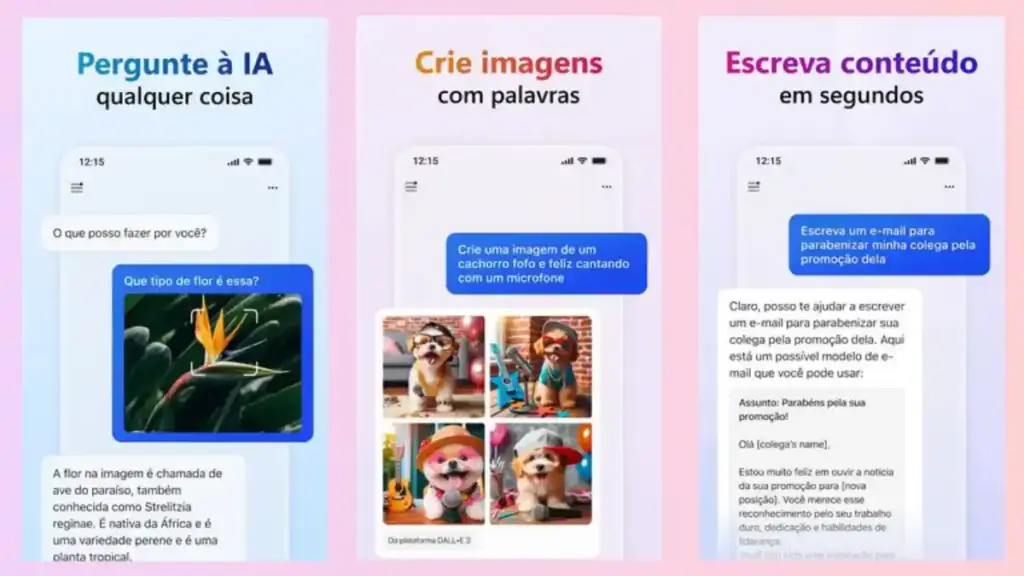
The Microsoft Copilot is a tool integrated into the Windows operating system, which allows users to perform automated tasks with the help of ChatGPT 4 for free.
How to access:
- Download the Microsoft Copilot from your device's app store or access the official AI website;
- Log in with your Microsoft account;
- Activate the option to use ChatGPT 4 within Copilot.
This platform is excellent for those who already use the Microsoft ecosystem and want to integrate ChatGPT 4 for free into their daily routines, such as answering emails, scheduling appointments, and automating tasks.
Advantages of ChatGPT 4
The ChatGPT 4 brings a series of significant advances compared to previous versions, standing out for its improvements in accuracy, context understanding, and creative capacity. Below, we highlight the main advantages of this version, making it a powerful and highly effective tool.
Enhanced Context Understanding
One of the main improvements of the ChatGPT 4 is its ability to understand more complex contexts, maintaining coherence and cohesion in conversations, even in longer interactions. This is especially useful in multifaceted dialogues, where the model can handle interconnected information without losing focus.
Accuracy and Relevance in Responses
The ChatGPT 4 offers more precise and aligned responses with reliable sources, thanks to a larger and more recent database. It is also better able to interpret the nuances of a sentence or word, providing clearer and more relevant answers, minimizing ambiguities.
Superior Multilingual Performance
Compared to previous versions, the ChatGPT 4 presents significantly better performance in various languages. It can generate responses with more fluency and precision in different languages, making it ideal for global users and for those who need to communicate in multiple languages.
Advanced Creative Capacity
The ChatGPT 4 also stands out for its creative ability. It generates high-quality creative texts, such as stories, poems, and even innovative ideas for projects. This makes it a valuable tool for writers, marketers, and creative professionals who seek more inspiration and quality.
Management of Complex Instructions
The model is excellent at handling more complex commands, such as solving logic problems, performing advanced calculations, or executing multifaceted tasks. This capability is essential for those who need an assistant to solve technical problems or perform more elaborate calculations.
Coherent Responses in Long Interactions
A major limitation of previous versions was the loss of coherence in long conversations. The ChatGPT 4 solves this by maintaining a stable line of reasoning, even in more extensive dialogues. This is ideal for writing tasks, reports, and other contexts where continuity is fundamental.
Comparison between ChatGPT 4 and its previous versions
The ChatGPT 4 offers significant improvements compared to previous versions, such as chatgpt 4 omni, GPT-3 and GPT-3.5. The updates have made the model more accurate, consistent, and adaptable, offering a more efficient user experience across a wide range of tasks.
- Context understanding and consistency
While GPT-3 can lose context in long conversations, ChatGPT 4 is much better at maintaining the continuity of the dialogue. This allows for more natural interactions and more relevant responses, even in more complex and prolonged discussions.
- Accuracy and relevance of responses
The ChatGPT 4 stands out in accuracy. Unlike GPT-3, which sometimes generates vague responses, GPT-4 offers more coherent responses aligned with user expectations, thanks to its training with a larger volume of data.
- Ability to handle complex tasks
One of the main advantages of the ChatGPT 4 is its ability to perform more challenging tasks, such as solving complex mathematical problems or providing detailed answers on technical topics. GPT-3 had limitations in these aspects, while GPT-4 is able to handle more elaborate questions better.
- Multilingualism and style adaptation
The GPT-4 also surpasses GPT-3 in terms of multilingualism, offering more natural and precise responses in several languages, such as Portuguese, Spanish, and Chinese. In addition, the model adapts better to the desired writing style, making it more versatile for different audiences.
- Creativity and content generation
The ChatGPT 4 is more creative than GPT-3, generating more innovative and coherent content. It is capable of writing stories, articles, and other creative texts with more depth, making it ideal for communication and marketing professionals.
Conclusion
Now that you know 6 ways to use ChatGPT 4 for free, you can explore the different platforms and choose the one that best meets your needs. Whether for research, interacting with AI, or automating tasks, these alternatives allow you to take advantage of the power of chatgpt 4 free unlimited without paying for the premium version.
Don't forget to check out all the options and choose the best way to use this revolutionary technology!

